5.0 on the App Store

Less screens.
More moments.

Block distracting apps. Make time for what matters. Start free on iPhone and iPad.

Free Core plan · iPhone and iPad · iOS 17+

Product visualisation with an actual app screen.

Product visualisation with an actual app screen.

01 · Free app

Start a Quick Session or a schedule

02 · HoneyTag

Start with a scan

03 · HoneyBeacon

Start automatically nearby

Two ways to begin

Choose a scan or a room zone.

Start a saved routine with HoneyTag. Let HoneyBeacon pause apps when you enter your room. The free app also works on its own.

HoneyTag · NFC scan

Scan to start. Walk anywhere.

  1. 01
    Scan your tag
    Routine starts
  2. 02
    Walk away
    Apps paused
  3. 03
    Stay focused
    Apps stay paused

Keep a HoneyTag by your desk, the kettle or the front door. Scan with your iPhone to start a saved focus routine, or to finish your Wake alarm. A tag is a scan, not a zone, so walking away doesn’t end blocking.

Explore HoneyTags

Two people talking over dinner at home, phones out of sight

HoneyBeacon · Bluetooth room zone

Walk in. Distractions pause.

  1. 01
    Enter the zone
    Apps available
  2. 02
    Apps pause
    Apps paused
  3. 03
    Leave the zone
    Apps return

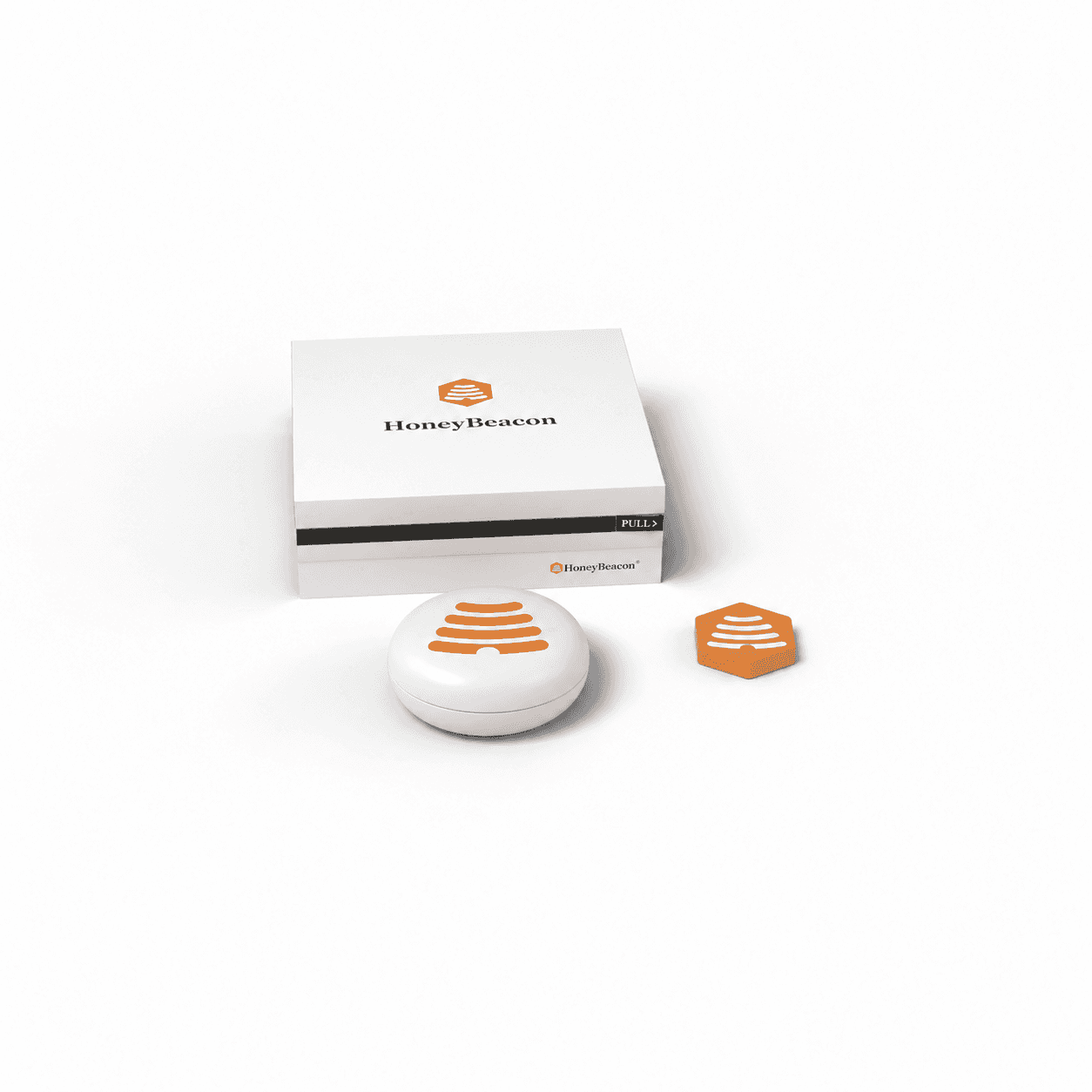
Place a HoneyBeacon on the dining table, a shelf or your bedside. During your chosen hours, or whenever you’re nearby with Always On, distracting apps pause when you arrive and come back when you leave. No tapping needed.

How room blocking works

01

Choose your essentials.

Pick the apps that stay available before you begin. Phone and FaceTime always do.

02

Choose how to begin.

A timer, a schedule, a HoneyTag scan, or walking into a HoneyBeacon zone.

03

Let distractions wait.

Open a restricted app during a session and your iPhone shows a blocking screen instead.

For couples, friends and families

Make time for each other.

Shared focus sessions for friends. One shared Honey Jar goal for your family.

BEE TOGETHER · COUPLES & FRIENDS

Be here, together.

Dinner with friends. An evening with your partner. A shared session makes putting your phones down a choice you make together.

  1. 01InviteChoose your people.
  2. 02AcceptThey choose to join.
  3. 03FocusShare time, phones down.
A shared session starts with an invitation.
Bee Together invitation
Bee Together invitation from Jordan, with Accept and Decline choices.

Host up to 32 people with The Hive or The Hive Family. Friends join free on Core. Choose whether everyone must accept before starting.

Optional: start with a HoneyTag

After the invitation, everyone taking part, including the organiser, scans the same tag to begin.

Explore Bee Together

The Hive Family · Up to 6 people

A shared effort. A treat for everyone.

Pick a family goal like pizza night or a day out. Every eligible focus session adds Honey to one shared Jar, so homework, dinner and screen-free evenings become something you’re all working towards.

Illustrative progress420 / 600 Honey

Family day out

Demo. Your family chooses and provides the reward. Honey has no cash value.

Beekeeper

The household organiser. Sets the goal, sends homework or downtime sessions and chooses which modes earn Honey.

Family members

Accept sessions on their own iPhone, keep their own essential apps and add Honey to the Jar.

Every session brings your shared reward closer.
Family reward progress
Family Arcade Visit reward with progress totals and the complete honeycomb.

See how it works for families

Friends · New in the app

A little friendly encouragement.

Add friends with a link or code, then compare this week’s Honey, streaks and all-time Honey on your Friends leaderboard. See when friends are focusing and invite them to Bee Together.

You choose your connections, and can remove, block or report anyone.

Actual HoneyBeacon Friends screen for this week: You in 2nd with 481 Honey, Janet 1st with 1,132, iPhone 3rd with 62, and 652 Honey to pass Janet

Actual app screen · Friends, this week

Wake screen asking you to take your phone and leave the room

Actual app screen · Wake in progress

Wake · Included in free Core

A reason to get up.

Set an alarm that gets you out of bed. Finish it with a HoneyTag scan, or by walking to or away from your HoneyBeacon.

Get out of bed first. Check your phone second.

Choose your time and the days that fit your week.

Finish with a HoneyTag scan, or by walking to or away from your HoneyBeacon.

Wake reminders can also appear on Apple Watch.

Needs iOS 26 or iPadOS 26 or later, alarm permission and a configured HoneyTag or HoneyBeacon.

How Wake works

Build your routine

Three questions. Your best place to start.

Tell us who it’s for and when screens get in the way. We’ll suggest the simplest setup, including the free app on its own.

Choose all that apply. The suggestion covers your highest need.

1Who is this for?

2Your hardest screen moment?

3How should blocking start?

0 of 3 answered

Find your starting point.

Choose every option that fits. You can pick more than one in each question.

You'll see one setup: the pack that covers your highest need.

Packs & pricing

Start free. Add a cue when you want one.

Start with the free app. Add a HoneyTag for a scan, or a HoneyBeacon for room blocking. HoneyBeacon packs include three months of The Hive or The Hive Family.

Show prices in

App available now · HoneyTag pre-orders opening soon · HoneyBeacon pack pre-orders opening soon

Available today

Free app

Free
Core plan · iPhone and iPad, iOS 17+
  • Quick Sessions, schedules and Wake
  • Apps you choose stay available
  • Take a Flight, 3 pauses a month
  • Join Bee Together for free
  • Works with a HoneyTag or HoneyBeacon

Optional upgrades: The Hive £2.99/month or £29/year. The Hive Family £4.99/month or £49/year.

Get the free app
HoneyTag · Scan to begin

Two HoneyTags

£29.99
One-off · £15.00 per tag
  • A cue for your desk, and for Wake in the morning.
  • 2 official HoneyTags
  • Free UK delivery
  • 1 month of The Hive included, with separate app lists for Focus and Bedtime
  • Core routines and Wake stay free forever

Pre-orders opening soon · Expected November–December 2026.

Notify me
Room zone + scanStart here

Starter

Starter pack with one HoneyBeacon and one HoneyTag
£69.99
One-off
  • 1 HoneyBeacon + 1 HoneyTag
  • 3 months of The Hive included
  • Free standard shipping
  • Automatic room blocking and tap-to-start in one box

Pre-orders opening soon · Expected December 2026–January 2027.

Get pre-order updates
For couples and households

Duo

Duo pack with two HoneyBeacons and two HoneyTags
£119.99
One-off
  • One for the table. One for another favourite spot.
  • 2 HoneyBeacons + 2 HoneyTags
  • 3 months of The Hive Family included
  • Free standard shipping

Pre-orders opening soon · Expected December 2026–January 2027. Hive Family covers up to 6 people.

Get pre-order updates

How HoneyBeacon compares

Find your way to focus.

From free app blocking to a physical cue. See what fits your day, your family and your budget.

Compare what matters to you
At a glance
HoneyBeacon
Free app + optional hardware
Brick + Brick Night
Tap device + room device
Opal
App only
01 · Ways to focus
Free to start
Free Core
Timers, schedules and joining Bee Together
Hardware required
Companion app included
Free plan
Basic blocking and timers
Schedules
Included
Free Core
Included
With Brick
Free limits
More with Pro
Room blocking
Arrive to block
Leave to unblock; HoneyBeacon required
Bedside zone
Brick Night, during set hours
Not offered
Tap to start
HoneyTag scan
Works with free Core
Tap a Brick
Separate device from Brick Night
Not offered
Wake alarm
Get up to finish
Tag or beacon required; iOS 26+
Not offered
Not offered
02 · Time together
Shared sessions
Up to 32 people
Hive host; friends join free
Not offered
Scores only
No shared blocking session described
Family rewards
One shared goal
Up to 6 with Hive Family
Not offered
Not offered
03 · Costs & compatibility
Hardware cost
£69.99
Starter, one-off; 1 beacon + 1 tag
$169
US sale price. Ships to the UK
None
App only
App plans
Free Core
Optional Hive £29/year; Family £49/year
Included
No subscription with hardware
Free plan
Optional Pro £99.99 · a year, UK App Store
Devices
iPhone & iPad
iPhone & Android
iPhone, iPad, Mac & Android
Availability
App live
HoneyTag pre-orders opening soon; beacon launch planned
Order now
Hardware available
App live

Starter includes 3 months of The Hive. Afterwards, keep free Core or choose a paid plan. Hardware is optional.

Sources, pricing & feature details

Monthly Hive plans are also available. HoneyBeacon hardware prices are planned. Brick prices are in US dollars: bundle sale $169, regularly $188; shipping and taxes may vary. Opal Pro prices vary by region and purchase route. A dash means the feature is not described on the product's public site. Opal's published free-plan limits differ between its pricing and help pages, so no exact limit is shown here. Checked 1 November 2026: Brick, Brick app pricing, Opal. Compare HoneyBeacon app plans · Room blocking explained

Why HoneyBeacon exists

“My wife, Laura, told me our 17-month-old daughter had been trying to get my attention for two minutes while I stayed glued to an ‘urgent’ email.”

Our phones are built to pull us in. I created HoneyBeacon to offer a simple way to break that habit, and be here for the moments I didn’t want to miss.

Gary, founder of HoneyBeacon

“Got HoneyBeacon to stop me doomscrolling in bed, and spend more time paying attention to my partner.”
TheelevatormanApp Store · United Kingdom
“…it’s been incredible for focussing on family time.”
Loz0824App Store · United Kingdom
“It’s a great concept, easy to use and you can see how much thought has gone into developing it.”
Bull-JoshuaApp Store · New Zealand

Before you begin

Questions before you start.

Still curious? The guide covers setup, permissions and every rule.

Read the full guide

Hear when hardware pre-orders open.

The app is available now. Get an email when HoneyTag and HoneyBeacon pre-orders open. No payment or commitment.

Joining does not reserve a device, launch price or delivery date.